Flutter AI best practices
Learn best practices for building AI-powered Flutter apps using guardrails to verify and correct AI-generated data.
Flutter and AI go well together on multiple levels. If you're using AI to generate Flutter code, you only have to generate the code for a single app to target multiple platforms. And if you're harnessing Gemini to implement features in your app, the Firebase AI Logic SDK makes that simple, with an easy-to-use API, and secure, by keeping the API keys out of your code.
If you're new to AI for either of these two use cases, you should know: as good as it is (and the Gemini 3 Pro Preview is very good), AI still makes mistakes. If you're using AI to write your code, then you can use guardrails to keep AI on track using tools like the Flutter analyzer and unit tests.
But what do you do when you're using AI to implement the features in your app, knowing that sometimes it's going to get things wrong? Or, to quote a friend of mine:
Morgan's Law
"Eventually, due to the nature of sampling from a probability distribution,
[AI] will fail to do the thing that must be done."
–Brett Morgan, Flutter Developer Relations Engineer, July, 2025.
The good news is that, just as you can use developer tools to build guardrails
around the AI writing your code, you can use Flutter to build guardrails around
the AI you use to implement your features. The Crossword Companion
app was built to demonstrate these techniques.
The goal of the Crossword Companion app is not to help you cheat at
mini-crosswords – although it's darn good at that – but to illustrate how to
channel the power of AI using Flutter. As an example, the first thing you do
when running the app is upload the screenshot of a mini-crossword puzzle. When
you press the Next button, the AI uses that image to infer the size,
contents and clues of the puzzle: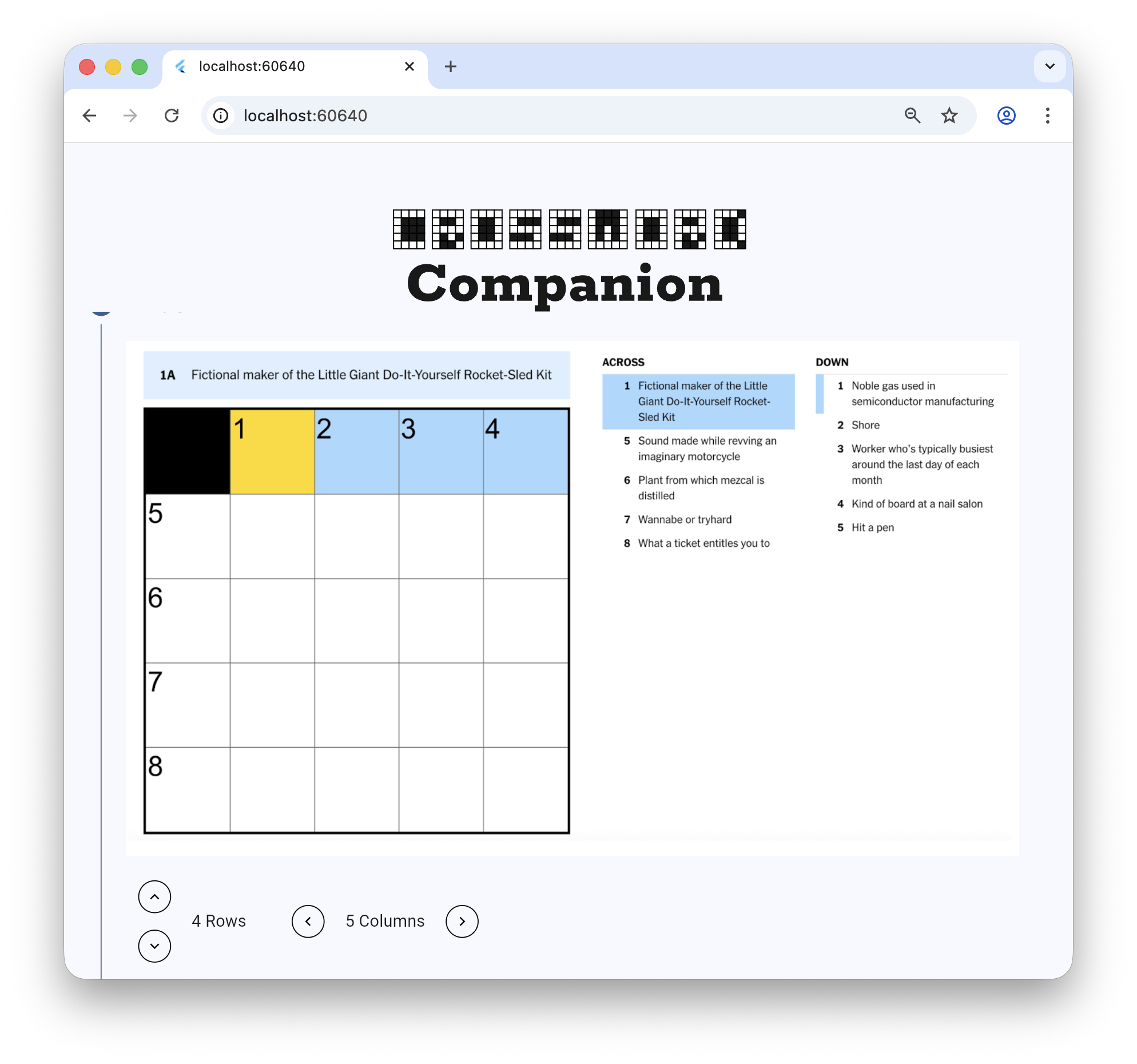
Notice that while the crossword puzzle is a 5x5 grid, the AI says it's 4x5.
Because we know that mistakes happen (apparently AIs are only human, too), we
built the app to allow the user to verify and correct the AI-generated data.
That's important; bad data leads to bad results.
So this write-up is not about the app in detail but rather about the best practices to use when you're building your own AI apps with Flutter. So let's get to it!
Unless stated otherwise, the documentation on this site reflects Flutter 3.38.6. Page last updated on 2026-01-07. View source or report an issue.